

The best desk chair for a 12-hour coding shift must feature an adjustable lumbar support system, a high breathable mesh backrest, 4D armrests, and a synchro-tilt mechanism. These engineering features distribute body weight evenly and prevent severe spinal fatigue during long programming sessions.
Introduction: The Hidden Physical Toll of Software Engineering
Software development is often celebrated as a career of pure intellect, logic, and creativity. However, behind every successful application, trading algorithm, or system architecture lies a harsh physical reality: thousands of hours spent completely frozen in front of multiple glowing monitors.
For developers, data analysts, and day traders, a 12-hour shift is not an anomaly; it is a standard working day. Spending this much time in a static sitting position forces your body into an unnatural posture that leads to chronic physical breakdown. A cheap, standard office chair turns what should be a productive coding session into a battle against lower back spasms, shoulder tension, and leg numbness.
To survive and thrive in high-intensity tech environments, you need to treat your chair not as office furniture, but as a critical piece of professional engineering equipment. Here is the anatomical and biomechanical guide to selecting a chair built for absolute endurance.
1. The Biomechanics of the 12-Hour Shift: Why Standard Chairs Fail
When you sit down, your pelvis rotates backward, flattening the natural inward curve of your lower back (the lumbar lordosis). This posture increases the pressure inside your spinal discs by over 150% compared to standing.
During a marathon coding session, your focus shifts entirely to solving a complex bug or watching volatile market charts. As mental fatigue sets in, your core muscles stop supporting your posture. You naturally slouch forward, leading to what physical therapists call "Tech Neck" and compressed spinal nerves.
A standard office chair with a fixed backrest cannot handle this pressure. Over hours of continuous use, the foam compresses and becomes completely hard, cutting off blood flow to your thighs and glutes. This lack of circulation causes restlessness, making you constantly shift around and breaking your deep focus (the coding "flow state").
2. The Non-Negotiable Anatomy of an Endurance Coding Chair

Every main character needs a great supporting cast, and in interior design, your flooring and lighting dictate how your furniture is perceived. Before diving into the accessories, mastering the basics of boho office chair gold frame styling hacks can help you visualize how these supporting elements interact with your main seating.To protect your body from the long-term damage of 12-hour shifts, your chair must feature a highly specific set of mechanical adjustments:
Self-Adjusting Lumbar Support
Static, unyielding lumbar pads are useless because they do not move when your posture changes. You need an active, height-adjustable lumbar support system that matches the unique height of your lower spine. The support should firmly push your lower back forward, keeping your spine in a natural, healthy "S-shape."
4D Armrests for Typing Freedom
When programming, your hands are constantly resting on a mechanical keyboard or mouse. If your armrests are fixed, your elbows hang in space, pulling down on your neck muscles. 4D armrests allow you to adjust the height, depth, width, and angle, ensuring your wrists remain completely neutral, preventing carpal tunnel syndrome.
Synchro-Tilt and Dynamic Reclining
Remaining locked in a stiff, 90-degree upright position for 12 hours is incredibly damaging to your discs. Look for a chair with a synchro-tilt mechanism. This engineering feature allows the backrest to recline at a 2:1 ratio relative to the seat pan, opening up your hip angle and instantly relieving pressure on your lower back while keeping your feet flat on the ground.
3. Technical Checklist: Engineering Specifications for Tech Workers
When evaluating high-performance office furniture, you must check the technical metrics. Use this specific engineering checklist to confirm a chair can survive long-duration work:
|
Feature Dimension |
Minimum Required Specification |
Developer Health Target |
|
Backrest Style |
High-Back with independent headrest |
Supports the entire thoracic spine and neck, eliminating upper body tension. |
|
Material Build |
High-tensile elastomer mesh or memory foam |
Provides continuous cooling, stopping body heat buildup during intense code compilation. |
|
Gas Lift Cylinder |
Class 4 Heavy-Duty Pneumatic Piston |
Ensures smooth height adjustments and holds structural weight up to 300 lbs safely. |
|
Caster Wheels |
Dual-wheel nylon or polyurethane |
Allows smooth movement across hardwood floors or office carpets without scratching surfaces. |
4. Material Selection: Keeping Cool Under Pressure

When coding under tight project deadlines, physical stress causes your core body temperature to rise. The material covering your chair defines how comfortable you stay during these intense moments.
-
Elastomer Mesh Backrests: High-grade mesh suspension acts like a responsive hammock. It distributes your weight across thousands of tiny elastic weave points, avoiding painful pressure spots. Because it allows air to circulate freely, it keeps you cool and sweat-free throughout hot summer months.
-
Premium Upholstered Foam: If you prefer a traditional plush feel, avoid cheap foam that sinks to the plastic base within months. Look for high-density, molded memory foam that contours to your body while retaining its firm support shape over years of daily 12-hour use.
5. Integrating Your Seating into a Productive Workspace Ecosystem

Even the best chair in the world cannot perform miracles if the rest of your desk layout is flawed. Your workspace must operate as a unified, health-focused ecosystem.
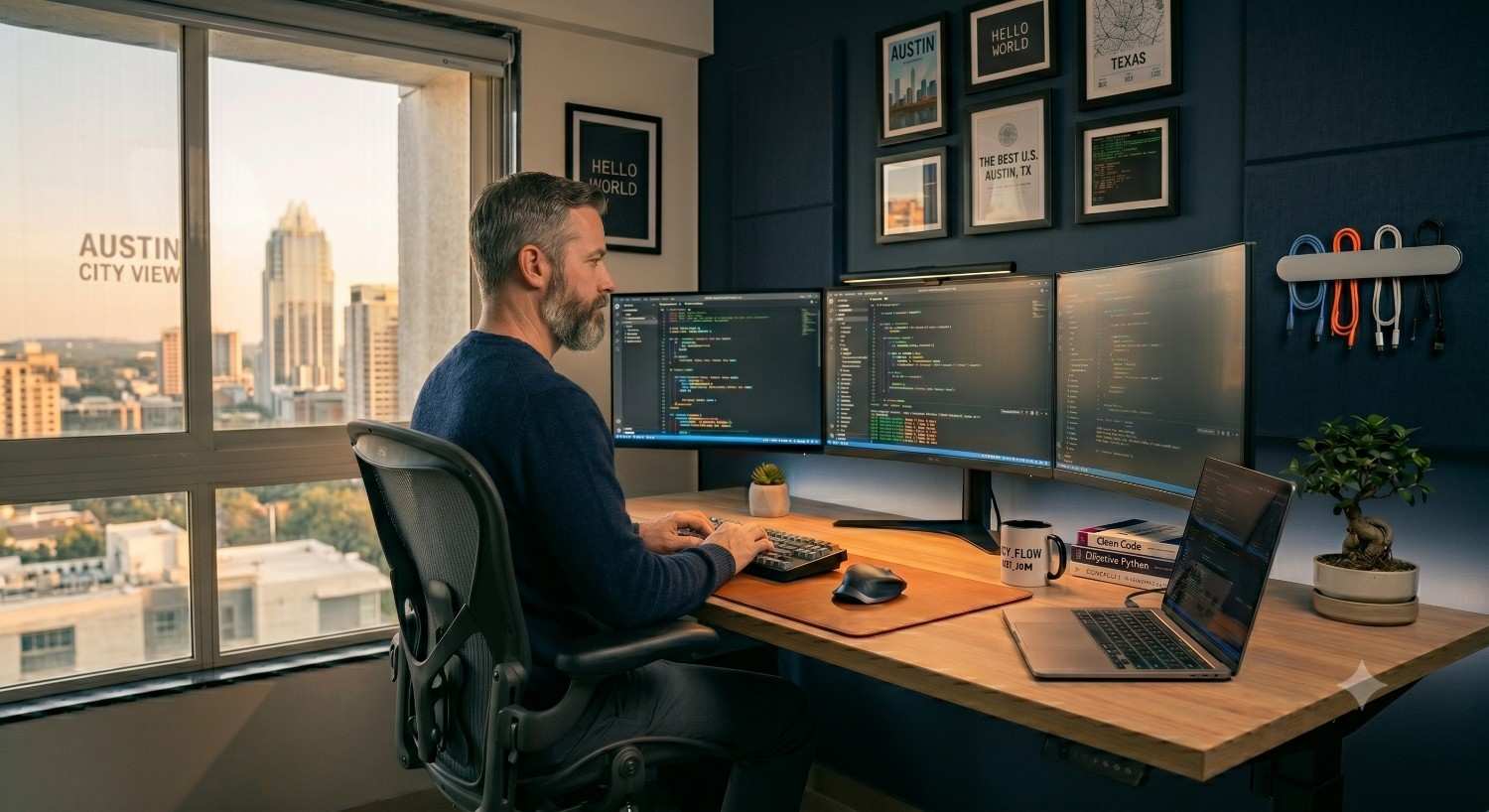
Your monitors should sit directly at an arm's length away, with the top line of code resting right at your natural eye level so you never have to tilt your head down. Keep your primary keyboard close to your body to prevent your shoulders from overextending.
If you want to understand how to correctly blend your heavy-duty ergonomic furniture with a beautiful, modern home workspace design, refer back to our anchor guide on creating an ergonomic home office layout to balance maximum health with clean styling.
Conclusion: Investing in Your Ultimate Coding Machine
As a developer or trader, your laptop, high-speed internet, and multi-monitor setup are vital tools for your trade. However, your body is the ultimate engine behind all of them. Spending thousands of dollars on computer hardware while sitting on a cheap kitchen chair is a recipe for physical burnout and medical leave.
By investing in a high-back chair built with responsive lumbar mechanics, 4D armrests, and cooling mesh material, you protect your career longevity and day-to-day focus. Clear out the cheap seating, pick a chair engineered for human biology, and build a high-performance workspace that keeps you healthy, pain-free, and inside the coding flow state for years to come.