

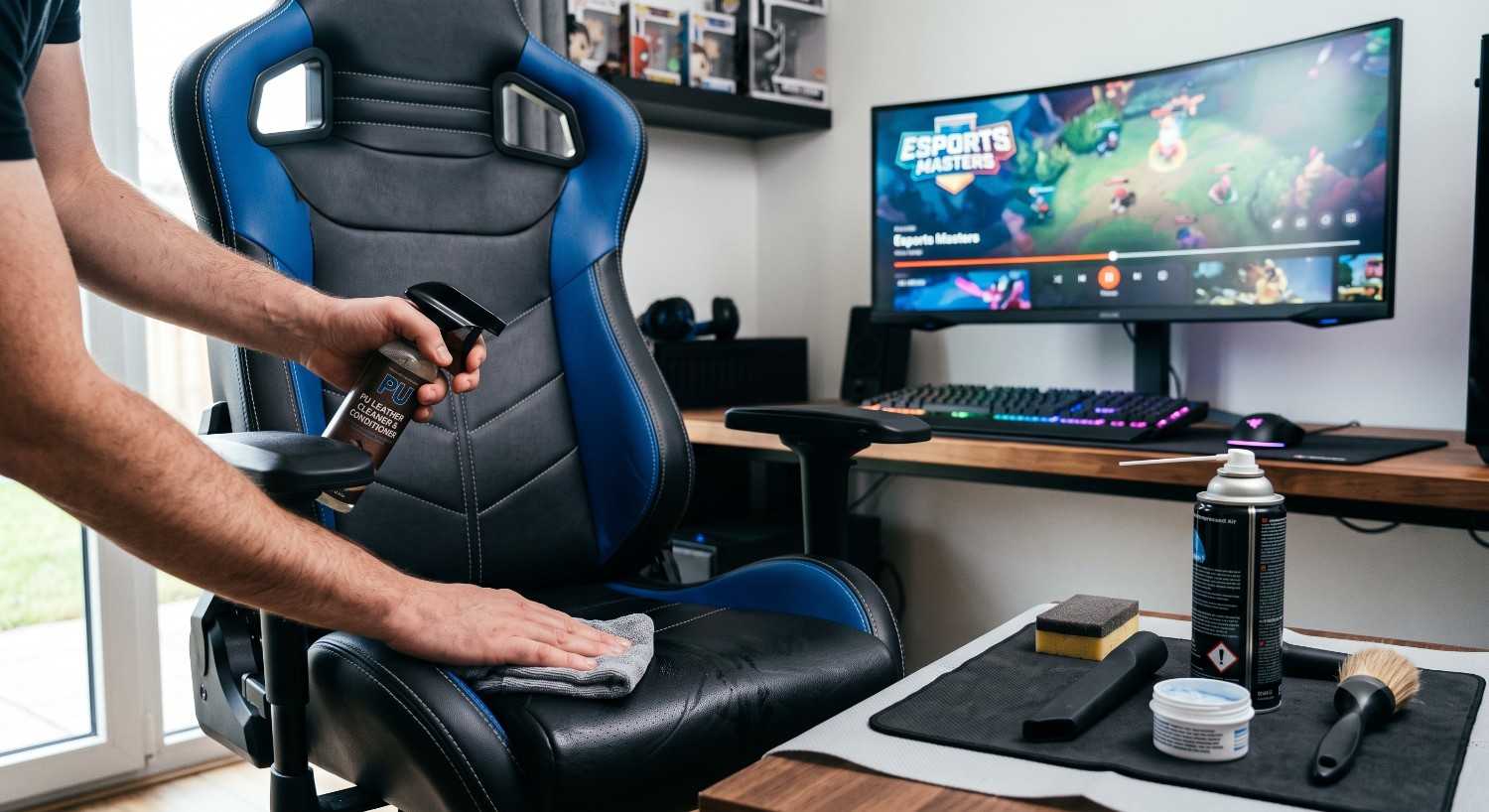

Whether you are pulling an all-night gaming session, tracking the latest Esports World Cup tournaments, or working from your home office, your gaming chair acts as your central command station. Over hours of continuous use, it inevitably collects a combination of sweat, dead skin cells, body oils, dust, and the occasional spilled energy drink or snack crumbs.
If left uncleaned, this buildup doesn't just look unappealing; it breaks down the structural integrity of your chair’s upholstery, ruins the underlying cold-cured foam, and harbors bacteria that cause stubborn odors.
However, cleaning a premium gaming throne isn't a one-size-fits-all task. Brands use vastly different materials—from Secretlab’s intricate SoftWeave fabric to Razer’s multi-layered synthetic leather and high-performance elastomeric mesh. Using the wrong cleaning agent can permanently crack faux leather or fade premium fabrics. This comprehensive, expert-backed guide will show you how to clean a gaming chair without causing a single bit of damage.
Step 1: Check the Care Label & Identify Your Upholstery Material
Before you apply a single drop of water or cleaning solution to your expensive chair, you must verify what it is made of. Reputable manufacturers include a care tag underneath the seat pan or outline specific guidelines in the product manual.
Look closely for these standard industry textile cleaning codes to ensure a safe deep clean:
-
W (Water-Based): Safe to clean using water-based solutions, such as a mild liquid dish soap mixed with distilled water.
-
S (Solvent-Based): Dry-clean solvents only. Water will ruin this fabric, cause color bleeding, or leave massive, permanent water rings.
-
S/W: Highly versatile. Both water-based and solvent cleaners are completely safe to use.
-
X: Do not use liquids. This material must only be cleaned via dry vacuuming or gentle brushing.
Step 2: The Universal Pre-Cleaning Routine
Regardless of whether your chair is wrapped in luxurious leather or breathable mesh, you must execute a thorough dry pre-clean. Applying liquids directly to a dusty chair creates a muddy, abrasive paste that gets rubbed deeper into the fabric weave or leather grain, causing microscopic scratches or deep staining.
1. Execute a Rigorous Vacuum Session
Attach a soft brush nozzle to your household vacuum cleaner. Using low-to-medium suction, go over the entire backrest, headrest, and seat cushion. The soft bristles are essential because stiff plastic nozzles can permanently scratch synthetic faux leather or fray delicate woven fabrics.
2. Deep-Clean the Crevices and Seams
Dust, skin flakes, hair, and crumbs settle heavily into the deep structural channels where the backrest meets the seat pan. Blast these tight gaps using a can of compressed air or a narrow vacuum crevice tool to pull out hidden debris before it has a chance to get wet.
Step 3: How to Clean a Gaming Chair Based on Material Type
Locate the specific upholstery category below that matches your exact gaming chair model to ensure a safe, optimized deep clean.
Material Option A: PU Leather, PVC, or Synthetic Faux Leather
Common examples: Secretlab Neo Hybrid Leatherette, Noblechairs, DXRacer, AndaSeat.
Synthetic leather is highly liquid-resistant and easy to maintain, but it is incredibly sensitive to harsh household chemicals. Alcohol-based surface cleaners or harsh kitchen sprays will strip away the protective polyurethane topcoat, leaving the material dry, brittle, and prone to peeling or cracking.
| Cleaning Factor | PU / Faux Leather Best Practices |
| Safe Solutions | pH-neutral liquid dish soap mixed with distilled water. |
| Application Method | Premium microfiber cloth dipped and wrung out until barely damp. |
| Motion & Technique | Light pressure applied in gentle, sweeping circular paths. |
| Crucial Step | Wipe completely dry with a fresh towel; apply a dedicated PU leather conditioner. |
| Avoid At All Costs | Bleach, ammonia, isopropyl alcohol, and abrasive rough scrubbing pads. |
-
Mix the Safe Cleaning Solution: Add 3–5 drops of mild, clear, pH-neutral dish soap into a bowl filled with warm distilled water.
-
Wipe with Low Moisture: Dip a premium microfiber cloth into the soapy water and wring it out completely until it is barely damp. Wipe down the entire chair using gentle, circular motions.
-
The Clean Water Rinse: Take a second microfiber cloth dampened with plain, clean water and wipe the chair down again to lift away any leftover soap film.
-
Buff and Condition: Thoroughly dry the surface with a soft towel. To maximize your chair's lifespan, apply a dedicated synthetic leather protection cream or conditioner every 4 to 6 months to keep the material supple.
Material Option B: Fabric, Canvas, & SoftWeave Woven Textiles
Common examples: Secretlab SoftWeave, Corsair Fabric, Razer Iskur Fabric.
Woven fabric gaming chairs are highly breathable and comfortable, but they act like a sponge for sweat, body heat, spills, and atmospheric odors. The golden rule when learning how to clean a gaming chair made of fabric is to keep moisture to an absolute minimum. Flooding the fabric will cause water to seep deep into the high-density polyurethane foam underneath, leading to internal mold, mildew, and structural sagging.
-
Select an Upholstery Cleaner: Opt for a dedicated, foaming commercial fabric cleaner, or mix warm water with half a teaspoon of clear liquid laundry detergent.
-
Apply Foam, Not Liquid: If using a liquid mixture, whip it up until thick suds form on top. Scoop the foam onto a microfiber cloth rather than pouring liquid directly onto the chair.
-
Dab and Lift Stains: For set-in stains or dark patches caused by sweat, gently dab and blot the fabric. Never scrub aggressively. Aggressive rubbing will stretch the synthetic woven threads, weaken the seams, and cause permanent fabric pilling.
-
Moisture Extraction: Press a fresh, completely dry microfiber towel firmly into the damp zones to pull out excess moisture from the surface. Leave the chair to air-dry naturally in a room with excellent ventilation or a ceiling fan for 6 to 8 hours before sitting on it.
Material Option C: High-Performance Mesh
Common examples: ASUS ROG Destrier, Herman Miller x Logitech G Embody, standard ergonomic mesh chairs.
Mesh chairs provide unparalleled cooling properties, but their open, grid-like structure acts like a grate, trapping lint, pet fur, and fine dust within the holes.
-
The Vacuum First Pass: Due to the open grid, vacuuming from both the front and the back of the mesh panels is highly effective.
-
Wipe Down Taut Fibers: Dip a soft sponge into a mixture of warm water and mild dish soap. Squeeze out almost all the water.
-
Use Gentle Friction: Lightly wipe down the grid pattern. Avoid applying heavy downward pressure, as excessive force can overstretch or warp the elastomeric mesh fibers, permanently ruining the tight tension support required for proper spinal ergonomics.
Step 4: Sanitizing Armrests and Cleaning the Casters (Wheels)
A pristine seat cushion doesn't mean much if your armrests feel sticky or your chair struggles to roll across your floor.
-
Sanitizing the 4D Armrests: The polyurethane or hard plastic surface of gaming chair armrests accumulates heavy layers of skin oils and sweat from your forearms. Lightly spray a microfiber cloth with a 50/50 mix of isopropyl alcohol and water, then thoroughly wipe them down to sanitize the surface and eliminate bacteria.
-
Cleaning the Wheel Casters: Turn your gaming chair completely upside down. Hair, carpet fibers, and dust wrap tightly around the metal axles over time, creating friction and causing the wheels to drag or squeak. Use a pair of tweezers or a small utility blade to carefully cut away any tangled hair. Wipe down the exterior of the wheels with a damp cloth, and apply a single drop of silicone lubricant to the wheel axle to restore silent, fluid movement.
Proactive Care: Keeping Your Gaming Throne Clean
-
Use a Sweat Barrier: If you frequently game in a hot climate or wear shorts, place a clean towel or specialized seat liner down to prevent sweat and body oils from directly staining the upholstery.
-
Avoid Eating in the Chair: Keep crumb-heavy foods and colored dyes away from your gaming station to avoid immediate, deep-set stains.
-
Weekly Maintenance: Make vacuuming your chair a standard part of your weekly room cleaning routine to prevent dust from settling permanently into the materials.
Frequently Asked Questions (FAQ)
Can I use a hair dryer to speed up the drying process on my gaming chair?
No. Intense heat can crack or peel synthetic PU leather, melt delicate mesh structures, and warp woven fabric fibers. Always let your chair air-dry naturally in a well-ventilated space.
How do I safely eliminate stubborn body odors from a fabric gaming chair?
Sprinkle baking soda over the fabric, pat it into the weave, and let it sit for 30–60 minutes to neutralize deep-set oils and odors. Vacuum it completely using a soft brush attachment.
Can I use household bleach, multi-surface kitchen sprays, or disinfectant wipes on my chair?
No. Harsh chemical cleaners strip the protective clear coats off faux leather, cause permanent color fading on fabrics, and weaken mesh tension. Use only pH-neutral soap or specialized upholstery cleaners.
How often should I clean a gaming chair?
Perform a light maintenance clean (vacuuming dust and wiping armrests) once every week. A complete deep clean and material-appropriate conditioning should be done every 3 to 6 months.
What should I do if my gaming chair starts squeaking after I clean it?
Turn the chair upside down and apply a small amount of dedicated silicone lubricant or multi-purpose grease directly to the tension springs and seat control mechanism joints to restore silent movement.
Read Also: How to care for leather furniture